
Starling IDE - Design Process
Published:
I am designing an integrated development environment for a programming language I authored called Starling. Starling is a user-friendly frontend for Metamath. (The Starling language is 50% done.)
Starling is a language and proof assistant. The language will be text-based, like any language you use in Visual Studio Code. The Starling IDE, however, will replace Visual Studio Code. I find the design of Visual Studio Code to be unpleasant. I desire a more playful and visually enhanced coding experience. Starling IDE solves this problem by arranging and debugging code visually.
Research + Inspiration
- Projects I looked at
- Visual Inspiration
- I have been interested in Kinopio’s infinite canvas for years.
- I am invested in the idea of a code editor which has an infinite canvas.
Information Architecture (First Draft)
I am inspired by the design space of AI tools such as Nimo and Integrity. I’m also a fan of Austin Henley’s research into code editor design.
Nimo-Inspired Wireframe 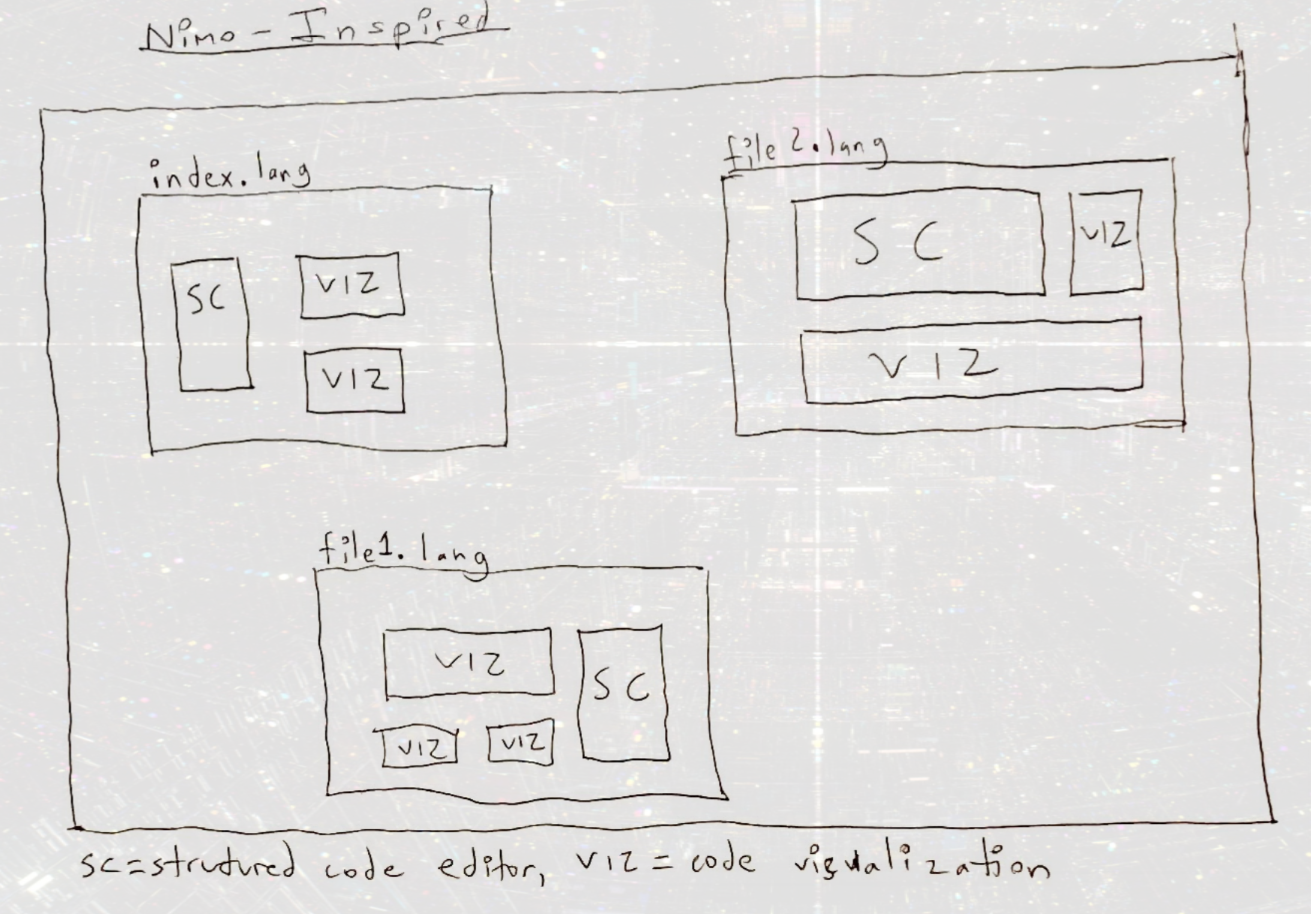 Zoomable infinite canvas with resizable code/visualization windows.
Integrity-Inspired Wireframe 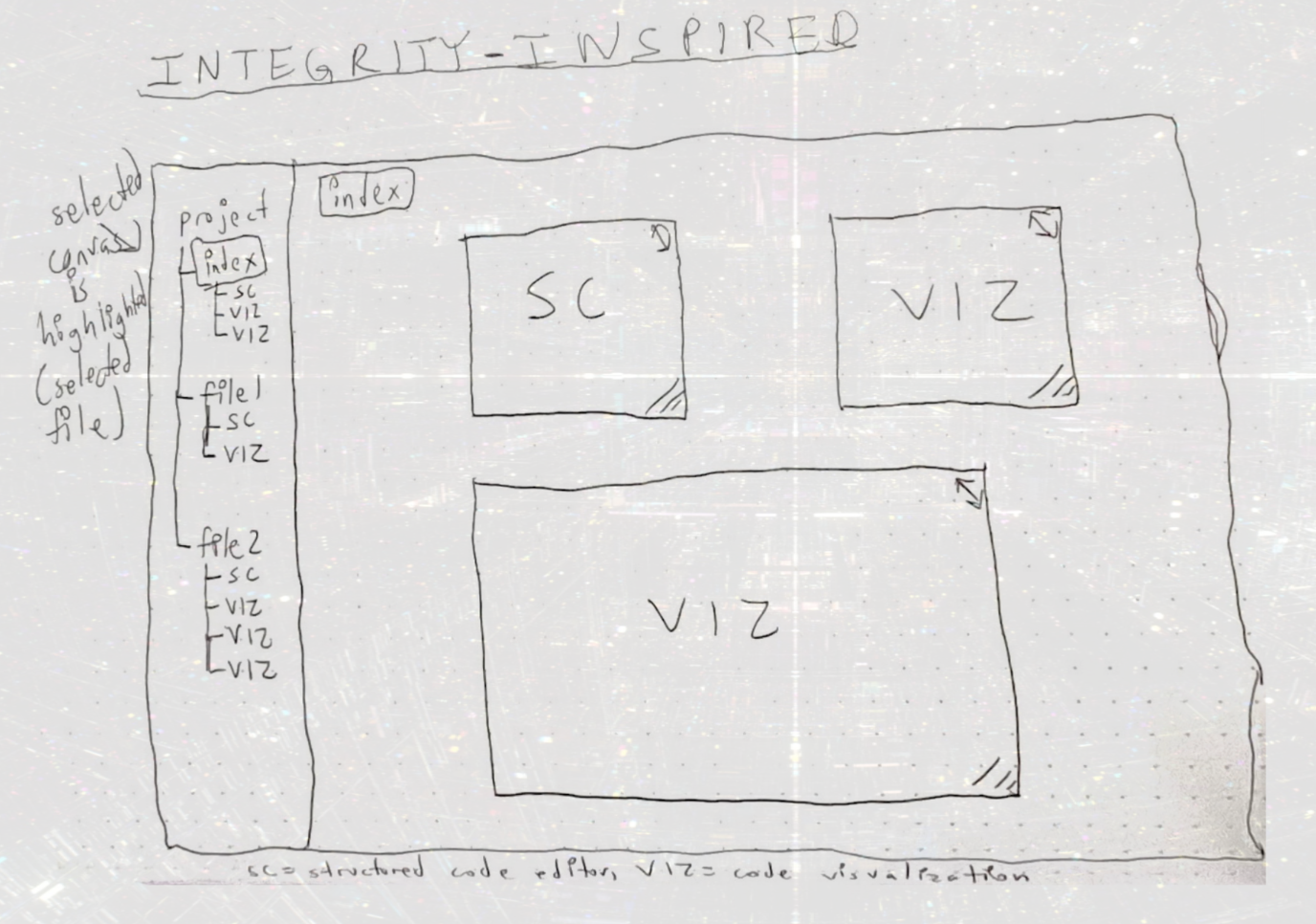 Combination of filetree with zoomable infinite canvas (containing resizable code/visualization windows).
CodeRibbon-Inspired Wireframe 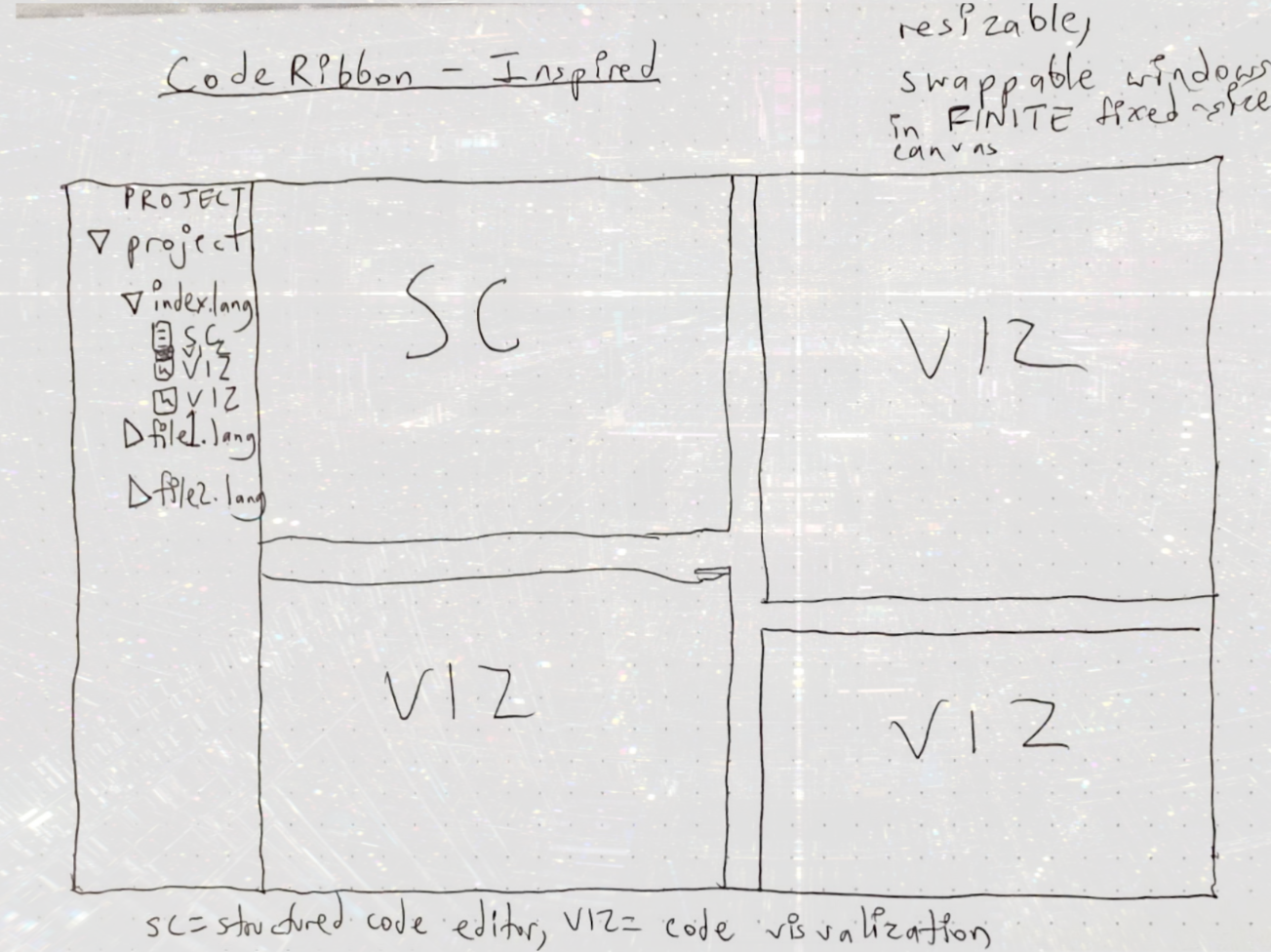 Conventional code editor (filetree) on left side, swappable and resizable code/visualization windows on right side.
Personas
Academic Researcher
Scenario
- Looking into Starling for the first time.
User Expectations
- Expects Starling to be similar to Lean.
Phase 1
- Doing
- The researcher looks up “Starling proof assistant” or similar keywords in a search engine.
- Thinking
- (If Starling ranks:) What’s this?
- Saying
- Oh, that’s it.
Phase 2
- Doing
- The researcher navigates to the front page of the Starling website.
- Thinking
- Notes the design, look, and ethos of the website. Tries to infer who made this and why they made it.
- Saying
- (Nothing.)
Phase 3
- Doing
- Researcher looks up Starling docs.
- Thinking
- This documentation is aesthetically pleasing and well organized. I’m starting to get a feel for who made this.
- Saying
- Cool.
Phase 4
- Doing
- Navigating to Starling web IDE.
- Thinking
- What features does it have? Can my students use this?
- Saying
- (Nothing.)
Insights
- The most common navigation trail for researcher personas is likely Google => front page => docs => web IDE.
Internal Ownership
- The researcher might feel ownership of the project if they contribute to the codebase, are an active member of the Starling community, or use Starling in their courses.
Remote Academic Collaborator
- Remote collaborator of a Starling user
Scenario
- Two researchers want to use Starling together, in real-time, to mechanize a proof.
User Expectations
- The academic Starling IDE should enable and facilitate real-time collaboration.
Phase 1
- Doing
- Opening QR code or session PIN (similar to Kahoot!) that leads to a shared Starling IDE session.
- Thinking
- Okay, what next?
- Saying
- I’m glad that worked.
Phase 2
- Doing
- Clicks “Find [Collaborator Username] Location” button to find the location of their collaborator inside the canvas.
- Thinking
- At least I can find them inside this document.
- Saying
- Whew.
Phase 3
- Doing
- Finds location of collaborator within canvas with visual cursor indicator.
- Thinking
- What am I looking at?
- Saying
- What is this proof saying?
Phase 4
- Doing
- Clicking through filetree tabs and proofs/visualizations inside.
- Thinking
- How can I understand this document as a whole?
- Saying
- Hm, okay.
Insights
- How can I sync cursor location? How can I enable collaborators to understand large amounts of code quickly?
Internal Ownership
- The collaborator will feel ownership over the project if they can jump in and start adding to the codebase sooner rather than later.
Implementation
I plan to:
- Annotate the remote collaborator user journey.
- Draw, stateful detailed wireframes based on this annotated user journey.
- Decide in copy in the wireframes.
- Convert each wireframe to an HTML page.
- Add JavaScript functionality to the HTML pages.
Remote Collaborator User Journey (Annotated)
Phase 1
- Backdrop: integrity.sh-inspired wireframe
- Export session to QR code link button
- Input to manually type in PIN corresponding to QR code link
Phase 2
- when you join a collaboration session you automatically “follow” the host’s edit location
- Follow cursor of collaborators.
- Click on collaborator’s avatar in menu bar to automatically follow them.
Phase 3
- Show highlighted text from remote collaborator.
- “You can see each collaborator’s edits, their cursors and selections, and more.”
Phase 4
- Code comprehension is hard. Maybe a minimap would help?